Home » Services » ChatGPT Ads for Lawyers – Guide and CPC Services
On May 5, 2026, OpenAI launched Cost Per Click (CPC) ads for ChatGPT.
That night, we set up to be a ChatGPT advertiser and launched our first campaign for ourselves and personal injury clients.
Please note: This is a rapidly evolving platform. For maximum transparency: we’re not sure if ChatGPT Ads will deliver good cases or not. As of May 2025, ads are running cheap, around $5 per click. We’re actively managing campaigns and monitoring ads for attorneys who want to be first on this platform.
If you are an attorney who would like to advertise on ChatGPT, please contact us today to get started, or read on to see how to manage your own ad campaign.
How To Sign in to OpenAI Ads Manager:
To run ads on OpenAI’s ChatGPT platform, follow these steps:
Create an account. You’ll need a username, password, company information and IRS EIN.
Start the verification process, which takes a few hours.
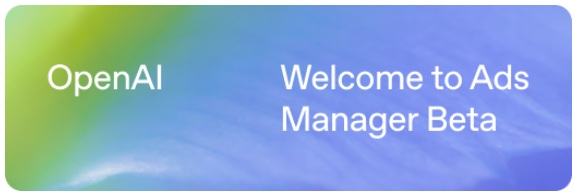
Once you’re verified, you’ll see a screen that says “Welcome to Ads Manager”:
Create Your First Campaign:
Once you are logged into your verified Ad Manager account you’re ready to create a campaign.
In general, the steps look like this:
Go to Ads Manager
Go to “Conversions” and configure the Data Source (usually your website) and Conversion Events (such as a page view).
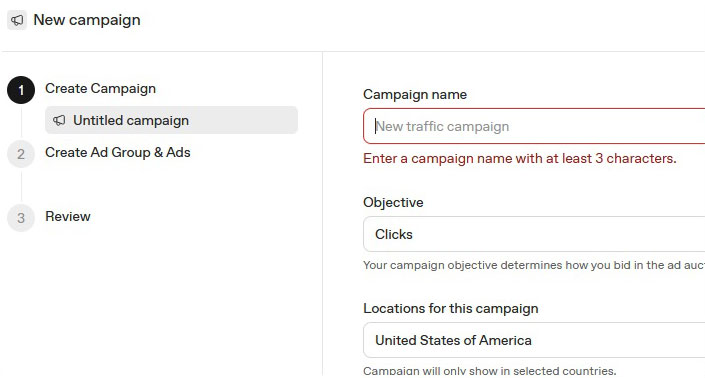
Select Create Campaign, then set the campaign name, objective (usually clicks), location for the campaign, and budget.
Next you will create an Ad Group, which includes the ad name, title & description (which users see), landing page URL and Image for the ad in a 256×256 resolution.
Publish ad, and enter any necessary billing information, and add users to manage the campaign.
Screenshot:
How Much do ChatGPT Ads Cost Attorneys?
We are currently running this test on personal injury attorneys and will post costs here as soon as possible.